Icebreaker games for video calls
When the first five minutes of a remote meeting or online class feel stiff, here are games you can start with a single link.
Getting started
Post the link in the chat before the meeting starts and people can wait in the lobby as they arrive. The lobby has a room chat for saying hello, and the host can mute a player or remove them if needed.
- The host creates a room and pastes the link in the meeting chat.
- Everyone joins in a phone or desktop browser. No install, no sign-up.
- Share the host’s screen so everyone sees the reveals together.
- The host picks a game type and session length, then hits Start. "Quick 3" is an easy first go.
Phone or computer?
If you’re on the call from a computer, joining the game on your phone usually works best. It doesn’t cover the meeting window, and finger games like Tap Frenzy and Rub Rush are easier on a touchscreen.
Screen sharing can lag a little depending on the meeting app, but every player sees the game and results on their own device, so it doesn’t matter. Turn off the game sound with the sound button so it doesn’t echo through the call.
Games that shine online
- Exactly 10 Seconds: the clock disappears after 3 seconds and you stop by feel. The reveal, down to hundredths of a second, always gets a reaction.
- Number Dodge: everyone picks a number from 1 up to the player count, and matching someone else is bad news. A good mind-reading game.
- Letter Quiz: guess a word from a topic, its first letter and its length. Anyone can type an answer, and wrong guesses can be retried.
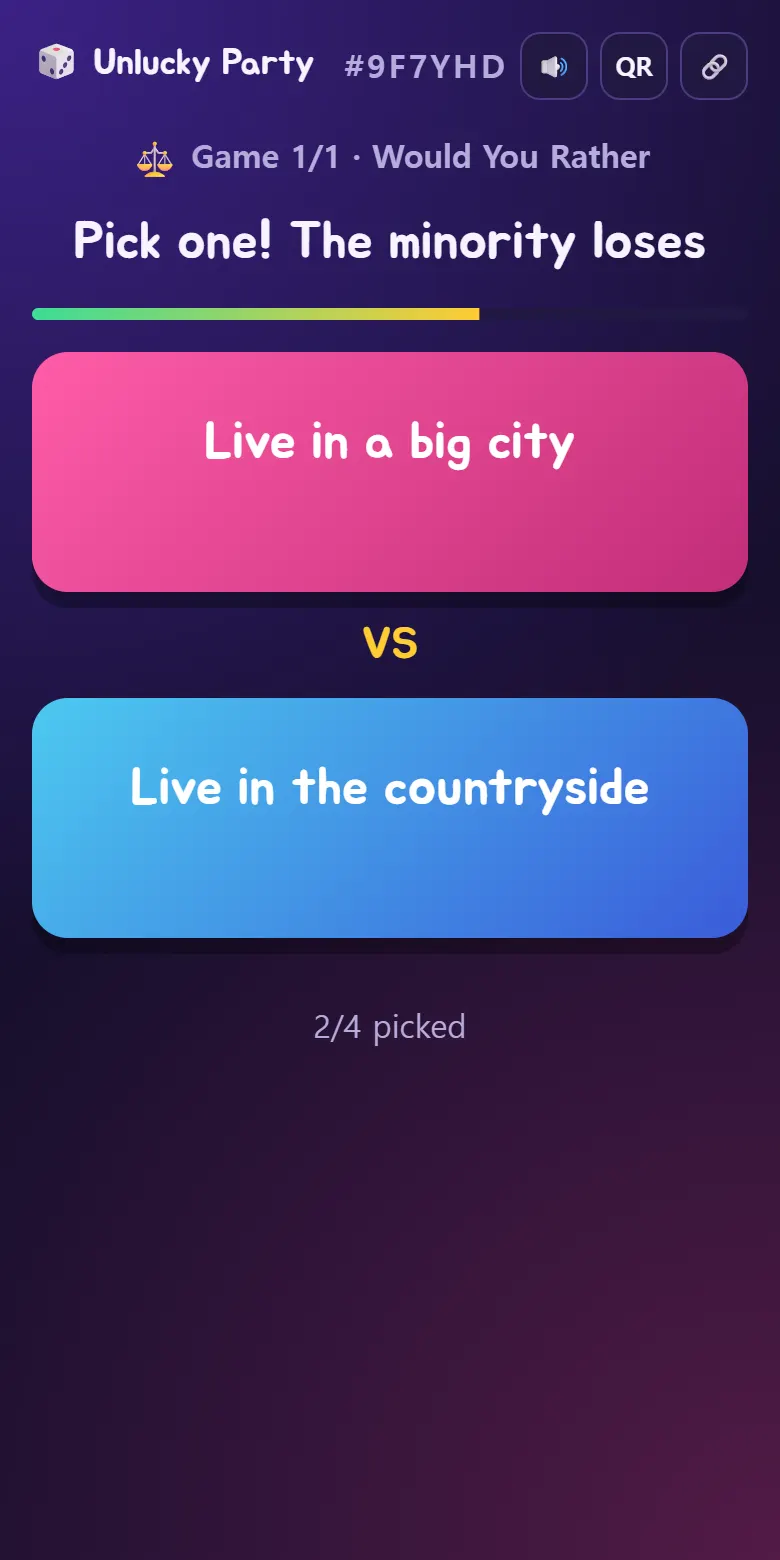
- Would You Rather: everyone picks at once and the answers are revealed together. Ask a couple of people why, and the conversation takes care of itself.
- Most Likely To: everyone casts one vote per question. Nobody sees who voted for whom, so it’s easy going even on camera. Works for 3 to 20 players.
- Act It Out: cameras on, one act at a time. More on running it below.
Playing Act It Out on video
The player whose turn it is acts on camera, and the host moves to the next player when they’re done. There’s no time limit, so a slow connection never costs anyone. After the last act, everyone votes for the funniest, and the player with the fewest votes loses.
The host chooses between a different scene for each player or the same scene for everyone. The same scene is fun for comparing how differently people play it. Act It Out is available for up to 12 players.
Playing Imposter on video
Everyone gets the same secret word except one player, the imposter, who only sees the topic. On a call, the host calls out the order and each person unmutes to describe the word in a few words. Then everyone votes on their phone for who they think the imposter is. It needs 3 to 12 players.
Add a topic and at least four words under "Use your own questions" to play with words only your team would know, like a topic called "Our projects" filled with current project names. For ready-made words, see the Imposter word list on the Game lists page.
Sample lineups by meeting length
- Five-minute icebreaker: "Pick" Exactly 10 Seconds, Number Dodge and Letter Quiz
- Fifteen-minute team social: add team-themed Would You Rather questions and run "Random 5"
- End-of-week hangout: pick Act It Out or Imposter and take your time with one or two rounds
- Start of an online class: something solo and focused, like Letter Quiz or 1 to 20
Common problems online
- Home Wi-Fi, office network, mobile data: it doesn’t matter. Everyone plays in the same room.
- Someone joins the call late? They open the same link and join from the next game, starting with the lowest current score in the room.
- If someone’s internet drops for a moment, the game keeps going. Reopening the link on the same device and browser brings them back with the same score.
- Can’t find the link in the chat? The host can show the QR code while sharing their screen.
Video call etiquette
Don’t pressure anyone to turn their camera on. Only include camera games like Act It Out when everyone is comfortable; otherwise stick to phone-only games like Exactly 10 Seconds or Number Dodge. Keep forfeits light too, like "goes first with an update at the next meeting".
You might also like
Last updated: 2026-10-18